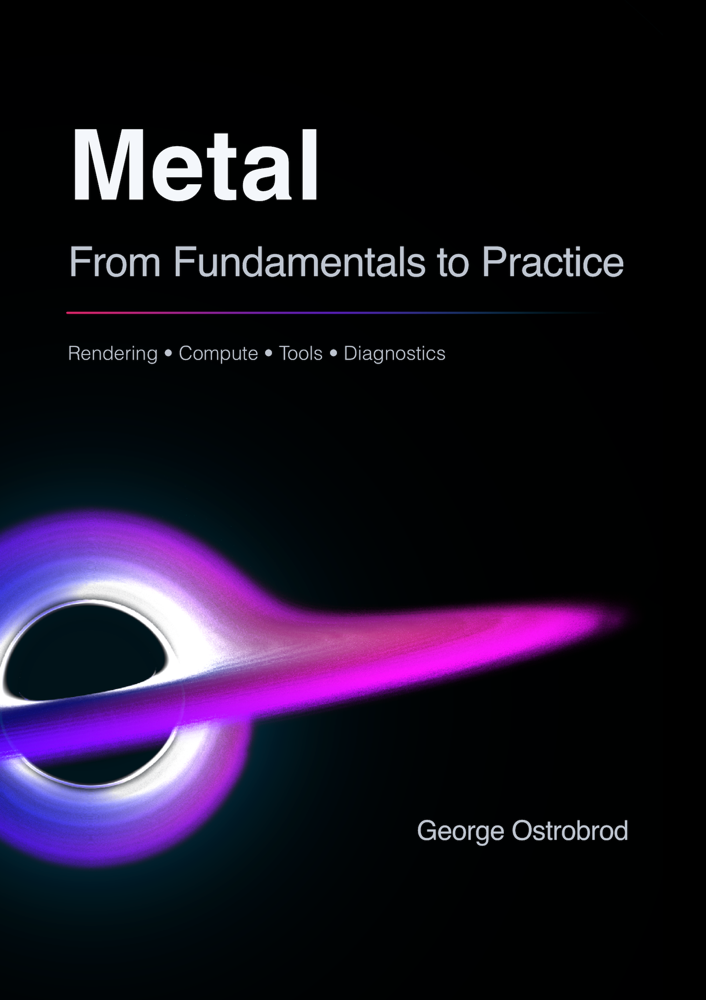
Apple Metal: From Fundamentals to PracticeApple Metal: от основ к практике
A hands-on guide to Apple's GPU framework. Buffers, textures, and shaders; the render pipeline and compute; and the tools that capture, profile, and diagnose a real frame.От основ к практике — практическое руководство по GPU-фреймворку Apple. Буферы, текстуры и шейдеры; рендер пайплайн и компьют; а также про инструменты, которые захватывают, профилируют и диагностируют покадрово.

Free bonus: 3 interactive shader tutorials, included with the book or an all-access subscription. Try the foil sticker tutorial free.Бесплатный бонус: 3 интерактивных shader-туториала — идут вместе с книгой или подпиской all-access. Попробуйте туториал foil sticker бесплатно.
Start with three free chaptersНачните с трёх бесплатных глав
Sample the book before you buy — these chapters are open in full.Попробуйте книгу перед покупкой — эти главы открыты целиком.
- 1.3 · Metal Shading Language FreeБесплатноWriting GPU code in MSL — and rendering your first frame.Пишем GPU-код на MSL — и рендерим первый кадр.
- 5.2 · SwiftUI FreeБесплатноDriving Metal rendering from SwiftUI — MTKView and MetalView in a SwiftUI app.Управляем Metal-рендерингом из SwiftUI — MTKView и MetalView в SwiftUI-приложении.
- 7.1 · Frame Capture: UIFrame Capture: интерфейс FreeБесплатноCapturing a frame straight from Xcode's interface.Захватываем кадр прямо из интерфейса Xcode.
Diagrams, real code, and deep divesСхемы, реальный код и глубокие разборы
Every concept is illustrated — the GPU pipeline drawn out step by step — and paired with complete, runnable Metal and MSL code you can drop straight into a project. Each article goes deep: not just which API to call, but what the hardware actually does with it. These are real pages, in light and dark.Каждая концепция проиллюстрирована — GPU-конвейер разобран шаг за шагом — и подкреплена полным, работающим кодом на Metal и MSL, который можно сразу перенести в проект. Каждая статья идёт вглубь: не только какой API вызвать, но и что железо на самом деле с ним делает. Это настоящие страницы книги — в светлой и тёмной теме.
From fundamentals to real debugging workflowsОт основ до реальных сценариев отладки
This book is for Apple platform developers who are starting to work with Metal and want a practical path from the fundamentals to real debugging workflows. It explains the core rendering and compute concepts first, then shows how to inspect, capture, trace, and diagnose Metal workloads with Xcode's tools.Эта книга — для разработчиков под платформы Apple, которые начинают работать с Metal и хотят пройти практический путь от основ до реальных сценариев отладки. Сначала она объясняет ключевые концепции рендеринга и compute, а затем показывает, как инспектировать, захватывать, трассировать и диагностировать Metal инструментами Xcode.
After reading it, you should be able to build and reason about basic Metal rendering or compute features, understand how data moves between the CPU and GPU, and use frame capture or traces to investigate correctness and performance problems.Прочитав её, вы сможете строить базовые фичи рендеринга и compute на Metal и осознанно о них рассуждать, понимать, как данные движутся между CPU и GPU, и использовать захват кадра и трассировки, чтобы разбираться с проблемами корректности и производительности.
Experienced Metal developers can use the second part as a focused guide to tooling: GPU Frame Capture, baselines, manual diagnostics, and the details that matter when a rendering or compute workload behaves differently from what the code suggests.Опытные Metal-разработчики могут использовать вторую часть как сфокусированный гид по инструментам: GPU Frame Capture, базовые замеры, ручная диагностика и детали, которые важны, когда рендеринг или compute ведёт себя не так, как подсказывает код.
Readers should already be comfortable with Swift or Objective-C, Xcode, and basic graphics-programming ideas. Prior experience with OpenGL or similar ones is helpful but not required.От читателя ожидается уверенное владение Swift или Objective-C, Xcode и базовыми идеями графического программирования. Опыт с OpenGL или похожими API полезен, но не обязателен.
All 25 articlesВсе 25 статей
One throughline in two parts. Part I — Metal Fundamentals takes you from your first command buffer to a full pipeline on screen. Part II — Tools & Diagnostics — the half most Metal books skip — is how you read a frame like a profiler and make it fast.Одна сквозная линия в двух частях. Часть I — основы Metal проведёт вас от первого командного буфера до полного конвейера на экране. Часть II — инструменты и диагностика — половина, которую большинство книг о Metal пропускает, — о том, как читать кадр как профайлер и делать его быстрым.
- 1.1 · What is Apple MetalЧто такое Apple MetalWhy Metal exists and where it sits among Apple's GPU APIs.Зачем существует Metal и какое место он занимает среди GPU-API Apple.
- 1.2 · Metal ArchitectureАрхитектура MetalHow the framework's objects map onto the GPU and its command flow.Как объекты фреймворка ложатся на GPU и его поток команд.
- 1.3 · Metal Shading Language FreeБесплатноWriting GPU code in MSL — and rendering your first frame.Пишем GPU-код на MSL — и рендерим первый кадр.
- 2.1 · BuffersБуферыPacking vertex and uniform data into
MTLBuffers for the GPU.Упаковываем вершинные и uniform-данные вMTLBufferдля GPU. - 2.2 · TexturesТекстурыCreating, sampling, and choosing formats for image data.Создание, сэмплирование и выбор форматов для изображений.
- 2.3 · Blit OperationsBlit-операцииCopying and transforming GPU resources with the blit encoder.Копирование и преобразование GPU-ресурсов через blit-энкодер.
- 3.1 · What's Under the HoodЧто под капотомWhat actually happens on the GPU when a draw call runs.Что на самом деле происходит на GPU, когда выполняется draw call.
- 3.2 · Render PipelineAssembling the render pipeline state, passes, and attachments.Собираем render pipeline state, проходы и attachments.
- 3.3 · ShadersШейдерыVertex and fragment shaders that turn geometry into pixels.Вершинные и фрагментные шейдеры, которые превращают геометрию в пиксели.
- 3.4 · ComputingВычисленияCompute kernels and dispatching parallel work on the GPU.Compute-ядра и запуск параллельной работы на GPU.
- 4.1 · Metal Performance ShadersApple's tuned image, matrix, and neural-network primitives.Оптимизированные Apple примитивы для изображений, матриц и нейросетей.
- 4.2 · MPSGraphExpressing GPU compute and ML as a high-level graph.GPU-вычисления и ML в виде высокоуровневого графа.
- 4.3 · Metal Stitchable FunctionsComposing shader functions dynamically at runtime.Динамическая композиция шейдерных функций во время выполнения.
- 5.1 · UIKit and Core AnimationUIKit и Core AnimationHosting a Metal layer inside a UIKit / Core Animation app.Размещаем Metal-слой внутри приложения на UIKit / Core Animation.
- 5.2 · SwiftUI FreeБесплатноDriving Metal rendering from SwiftUI — MTKView and MetalView in a SwiftUI app.Управляем Metal-рендерингом из SwiftUI — MTKView и MetalView в SwiftUI-приложении.
- 6.1 · DocumentationДокументацияFinding the documentation and references that actually matter.Где искать документацию и справочники, которые действительно важны.
- 6.2 · Basic DiagnosticsБазовая диагностикаFirst-line checks, API validation, and shader warnings.Первичные проверки, валидация API и предупреждения шейдеров.
- 6.3 · Devices and SimulatorsУстройства и симуляторыHow behaviour differs across real devices and the simulator.Чем поведение отличается на реальных устройствах и в симуляторе.
- 7.1 · Frame Capture: UIFrame Capture: интерфейс FreeБесплатноCapturing a frame straight from Xcode's interface.Захватываем кадр прямо из интерфейса Xcode.
- 7.2 · Frame Capture: Code ControlFrame Capture: управление из кодаTriggering captures programmatically from your own code.Запускаем захват программно из собственного кода.
- 7.3 · ProfilingПрофилированиеReading GPU counters and timings to find the bottleneck.Читаем счётчики и тайминги GPU, чтобы найти узкое место.
- 7.4 · Frame Capture: DebuggingFrame Capture: отладкаInspecting bound resources, geometry, and shader values.Инспектируем привязанные ресурсы, геометрию и значения в шейдерах.
- 8.1 · Metal System TraceProfiling the whole pipeline with Metal System Trace.Профилируем весь конвейер с помощью Metal System Trace.
- 8.2 · Manual Diagnostics: Value-LevelРучная диагностика: уровень значенийReading intermediate values straight out of a shader.Читаем промежуточные значения прямо из шейдера.
- 8.3 · Manual Diagnostics: Tooling-LevelРучная диагностика: уровень инструментовBuilding your own instrumentation when the tools fall short.Строим собственную инструментовку, когда штатных средств не хватает.
A book built for every screenКнига, свёрстанная под любой экран
A modern web book you read right in the browser — no app to install, nothing to download. A few things make it comfortable to read:Современная веб-книга, которую вы читаете прямо в браузере — не нужно ничего устанавливать и скачивать. Особенности электронной книги
- Responsive layout — typeset for both mobile and desktop, so it reads well on a phone, a tablet, or a big screen.Адаптивная вёрстка — свёрстана и под мобильные, и под десктоп: удобно читать на телефоне, планшете и большом экране.
- Dark theme — follows your system appearance automatically, easy on the eyes day or night.Тёмная тема — автоматически следует системному оформлению; глазам комфортно днём и ночью.
- Hands-on, runnable examples — real Metal pipelines you can build and run, wired into both UIKit and SwiftUI.Практические, запускаемые примеры — настоящие Metal-пайплайны, которые можно собрать и запустить, со связкой и с UIKit, и со SwiftUI.
- Always the latest version — revisions and fixes appear instantly in your edition, at no extra cost.Всегда актуальная версия — правки и исправления мгновенно появляются в вашем издании без доплат.

Get the full bookПолучите полную книгу
A one-time purchase unlocks both parts and every chapter, with lifetime access to future revisions.Разовая покупка открывает обе части и все главы — с пожизненным доступом к будущим редакциям.
Two parts · 8 chapters · 25 illustrated articles — Metal Fundamentals and Tools & Diagnostics. Lifetime access, including future revisions.Две части · 8 глав · 25 иллюстрированных статей — основы Metal, инструменты и диагностика. Пожизненный доступ, включая будущие редакции.
One-time purchase unlocks the book for the email you check out with. An all-access subscription unlocks every paid book on bookshelf.dev. Payments handled by our Merchant of Record.Разовая покупка открывает книгу для email, с которым вы оформили заказ. Подписка all-access открывает все платные книги на bookshelf.dev. Платежи — через Merchant of Record.